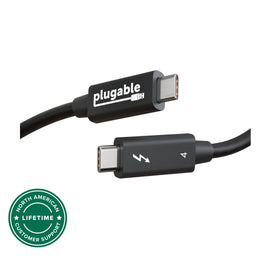
More Possibilities—
Thunderbolt 3 cable with 20Gbps speed and USB 3.0 5Gbps compatibility. Supports data transfer 2x faster than standard USB-C cables. Depending on host, up to single 4K 60Hz display supported, and up to 20V, 5A charging
Streamlined Productivity - Daisy chain up to 6 Thunderbolt devices including docking stations, external graphics cards, and displays. NOTE—
20Gbps speed cables are NOT suitable for eGPU and dual 4K display scenarios.
Apple Notes—
Thunderbolt 3 uses the USB-C connector built into late 2016 MacBook Pros and newer models. This connector will not physically fit into Thunderbolt 1 or Thunderbolt 2 ports found on previous generation Mac systems
Compatibility—
Thunderbolt, USB and DisplayPort Alt Mode compatible. Compatible with your Thunderbolt 3 enabled Mac and Thunderbolt 3 Windows PCs, and non-Thunderbolt USB-C systems. Incompatible with QC 3.0 and other non USB-compliant technologies
2-Year Coverage, Lifetime Support—
Every Plugable product, including this cable, is covered against defects for 2 years and comes with lifetime support. If you ever have questions, contact our North American-based team - even before purchase
Thunderbolt 3 brings data transfers at speeds up to 20Gbps over USB-C, enabling a superset of standard USB-C to truly become one compact port that does it all—delivering the fastest, most versatile connection to any dock, display, or data device.
For the first time, one port can connect numerous Thunderbolt devices, any display, and billions of USB devices (additional adapters may be required). Thunderbolt 3 cables are primarily used for connecting docking stations, high performance data storage solutions, peer-to-peer networking, and more.
Note: This cable is incompatible with Qualcomm Quick Charge and other (non USB-IF Power Delivery) “Fast Charge” technologies.
The Plugable TBT3-20G2M cable is foremost designed as a Thunderbolt 3 cable, but it is also a universal USB-C cable for use with USB-C computers, phones, tablets, docking stations, accessories, and more. It supports all USB-C cable features, including USB 3.0 and USB 2.0 data lines, wire gauge supporting up to 5A charging via the USB-IF PD (Power Delivery) standard 100W max (5V-20V), and support for reporting its capabilities as an electronically marked cable.
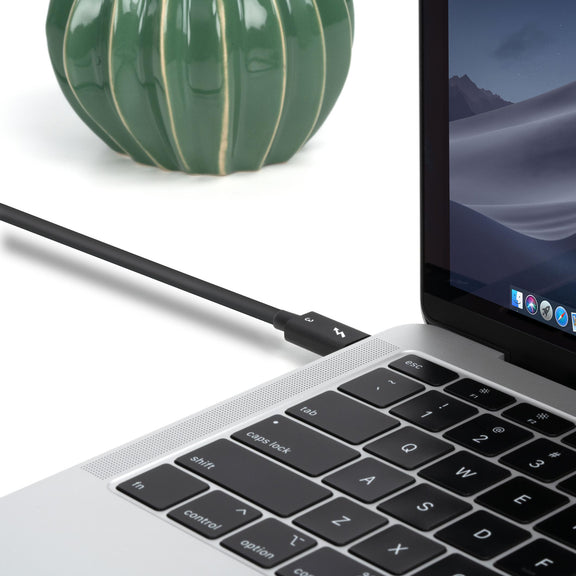
Massive 20Gbps Bandwidth
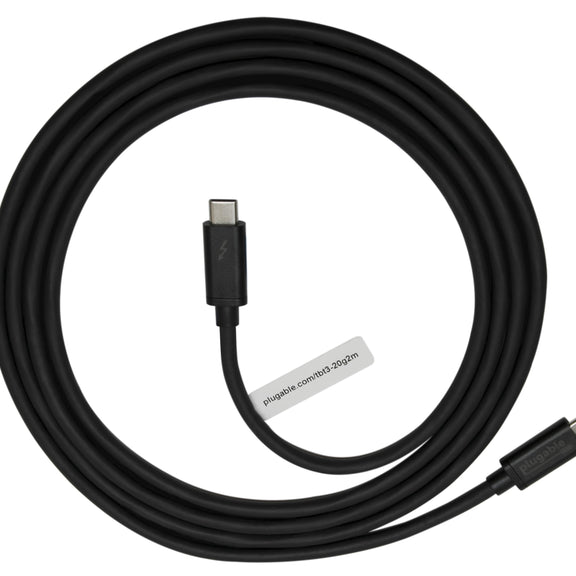
6.6ft/2m long
20Gbps Thunderbolt 3
Single 4K 60Hz video output
Thunderbolt 3 peer-to-peer 10Gbps networking
Supports up to 5Gbps transfer over USB-C 3.0 hosts and devices
Wire gauge and electronic marking support up to 5A charging (5V-20V, 100W max)
Cable supports previous USB generations such as USB 1.1, USB 2.0, and USB 3.0
e-Marker:
The cable is electronically marked with an IC (sometimes referred to as an “e-marker”) to assist in negotiation of charging rates and USB-C alternate modes like DisplayPort video.
Connect one end of the USB-C cable to the host device.
Connect the other end of the USB-C cable to the other desired device.
Questions? We're here to help! Please reach out to us at support@plugable.com
Filter Help Articles and Frequent Questions by Category
Choose one or more filters within each category to narrow down the articles. Each selection will result in only displaying articles that include all of your choices.
Selected filters:
Articles
Well how about that, it looks like we don't have any articles matching your filters! Try removing one of your choices or clear the filters to show all articles.
Google Pixel phones support USB-C DisplayPort Alternate Mode for wired video output, but due to Android OS limitations, they cannot produce two extended external displays using MST, DisplayLink, or Thunderbolt docking technologies. This is a platform constraint, not a hardware or dock issue.
Understanding the Limitation
Google Pixel phones are limited by the Android operating system’s handling of external displays. While many Pixel models (such as the Pixel 7 and Pixel 8 series) support USB-C DisplayPort Alternate Mode, they can only output to a single external display at a time. Android is designed primarily for screen mirroring, and extended display support is extremely limited across Android phones.
Key Point:
Android OS currently restricts Pixel phones to one external display, regardless of the dock or adapter used.
MST (Multi-Stream Transport) requires the host device to support splitting one DisplayPort signal into multiple independent video streams. While common on Windows and many Chromebooks, Pixel phones do not support MST for extended displays.
When using an MST dock, a Pixel phone will:
Output to one external display only, or
Mirror the same content to two connected monitors
Dual extended desktops are not supported
DisplayLink Docks
DisplayLink technology works on Android through a companion app (e.g., DisplayLink Presenter). However:
Android only supports a single external display via DisplayLink
DisplayLink docks cannot be used to achieve multiple extended monitors from a Pixel device
DisplayLink is not recommended for dual display use on Android
Thunderbolt Docks
Google Pixel phones are not Thunderbolt-certified hosts. When connected to a Thunderbolt dock:
They revert to basic USB-C DisplayPort Alternate Mode
Only a single mirrored display is possible
Visual Summary
Dock Type
Extended Displays
Mirroring
Notes
MST Dock
❌
✅
No MST support on Android
DisplayLink Dock
❌
✅
Requires DisplayLink app
Thunderbolt Dock
❌
✅
Functions as USB-C only
Recommended Alternatives
If your goal is to use two independent external displays, consider the following instead:
Windows laptops with DisplayPort MST support
Chromebooks that support MST
Frequently Asked Questions
Q: Can I extend my Pixel’s screen to two monitors using any method? A: No. As of now, Android does not support multiple extended displays. Only mirroring to one display is possible.
Q: Does DisplayLink allow multiple displays on Android? A: No. Even with DisplayLink’s Android app, you are limited to one external display.
Q: Why do Windows and ChromeOS devices work with MST but not Android? A: Android lacks support for DisplayPort MST and advanced GPU capabilities required for multiple display outputs. This is a software/platform-level limitation.
Conclusion
While Google Pixel phones are capable of driving a single external display, dual extended monitors are not possible due to Android OS restrictions. This applies across all dock types, including MST, DisplayLink, and Thunderbolt. For users requiring robust multi-display setups, we recommend using a Windows or Chromebook device that supports MST alongside a compatible docking station like the Plugable UD-MSTH2.
If you have any questions or need help selecting a compatible dock, reach out to our support team at support@plugable.com.
All Thunderbolt docking stations include the appropriate Thunderbolt cable in order to connect the docking station to the host computer. As of this writing, all Plugable Thunderbolt host cables that are included with Plugable Thunderbolt docking stations are 1.0 meter (approximately 3.3) feet in overall length.
For reference, the specifications of all Plugable Thunderbolt cables are printed on a small white cable flag attached to the cable itself.
If the original 1.0 meter long Thunderbolt host cable is not sufficient for a specific use case, longer cables of up to 2.0 meters (approximately 6.6 feet) in overall length can be purchased separately from Plugable. An example of such a cable is the Plugable TBT4-40G2M cable
Plugable does NOT support using Thunderbolt host connection cables that are over 2.0 meters in overall length with any Plugable brand product.
Plugable does NOT support the use of any type of Thunderbolt extension cable or any type of signal repeater in conjunction with our products.
Please note, Plugable can only guarantee the performance and compatibility of Plugable brand cables.