Hassle free, 2-Year Warranty
Fast, Free Shipping on Orders $35+
Lifetime Technical Support
30-Day Money Back Guarantee
Plugable Thunderbolt 3 Cable (40Gbps, 2.6ft/0.8m)
$24.95 USD
SKU: TBT3-40G80CMAmazon Rating : (1934 Reviews)
Features
- More Possibilities— Thunderbolt cable with 40Gbps speed and USB 3.0 5Gbps compatibility. Supports data transfer 2x faster than standard USB-C cables.
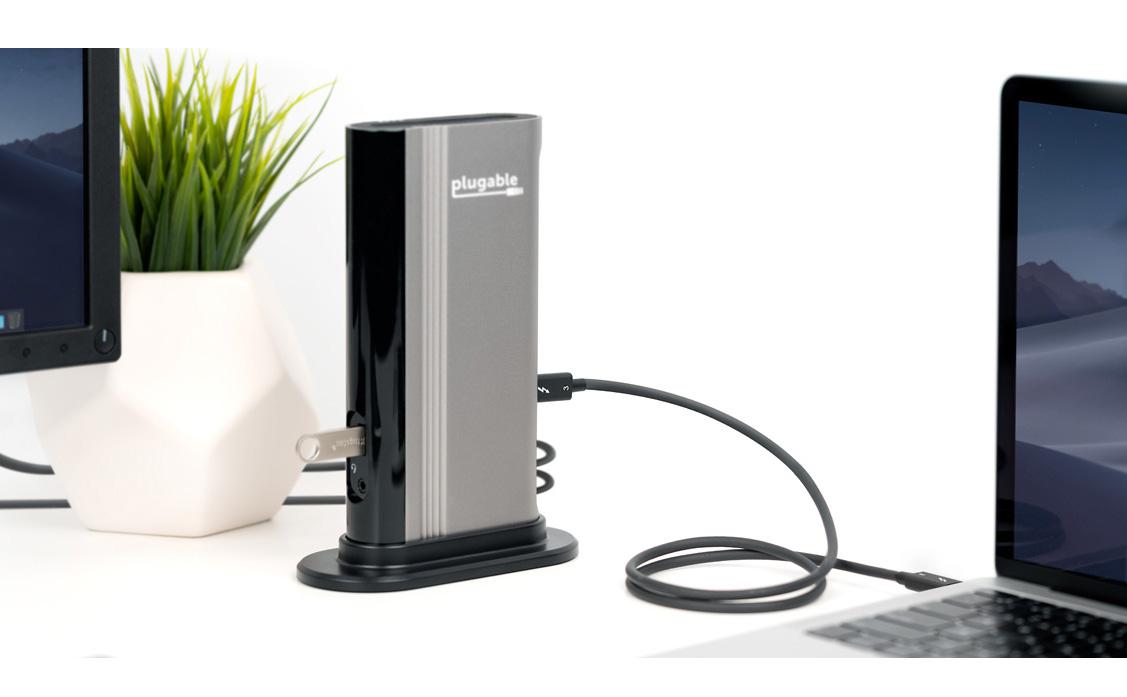
- High Productivity— Depending on host, up to 2x 4K 60Hz or 1x 5K 60Hz displays supported, and up to 100W (20V 5A) charging. 40Gbps speed cables are suitable for a Thunderbolt docking station and eGPU scenarios.
- Great for Fast Charging — This Thunderbolt USB-C cable is a superset of standard USB-C cable that is backward compatible with any USB-C port. Work as a Fast Charging cable, or a relaiable USB-C cable for dock. Incompatible with QC 3.0 and other non USB-compliant technologies.
- Compatibility— Thunderbolt, USB and DisplayPort Alt Mode compatible. Compatible with your Thunderbolt enabled Mac and Windows PCs, and non-Thunderbolt USB C systems such as ChromeBooks.
- 2-Year Coverage, Lifetime Support— Every Plugable product, including this cable, is covered against defects for 2 years and comes with lifetime support. If you ever have questions, contact our North American-based team - even before purchase
For volume orders or business inquiries contact sales@plugable.com
Free 3-Day Continental U.S. Shipping on Orders Over $35!
All Buying Options
Not Just a Thunderbolt 3 Cable
Thunderbolt 3 brings data transfers at speeds up to 40Gbps over USB-C, enabling a superset of standard USB-C to truly become one compact port that does it all—delivering the fastest, most versatile connection to any dock, display, or data device.
For the first time, one port can connect numerous Thunderbolt devices, any display, and billions of USB devices (additional adapters may be required). Thunderbolt 3 cables are primarily used for connecting docking stations, high performance data storage solutions, peer-to-peer networking, and more.
Note: This cable is incompatible with Qualcomm Quick Charge and other (non USB-IF Power Delivery) “Fast Charge” technologies.
The Plugable TBT3-40G80CM cable is foremost designed as a Thunderbolt 3 cable, but it is also a universal USB-C cable for use with USB-C computers, phones, tablets, docking stations, accessories, and more. It supports all USB-C cable features, including USB 3.0 and USB 2.0 data lines, wire gauge supporting up to 5A charging via the USB-IF PD (Power Delivery) standard 100W max (5V-20V), and support for reporting its capabilities as an electronically marked cable.
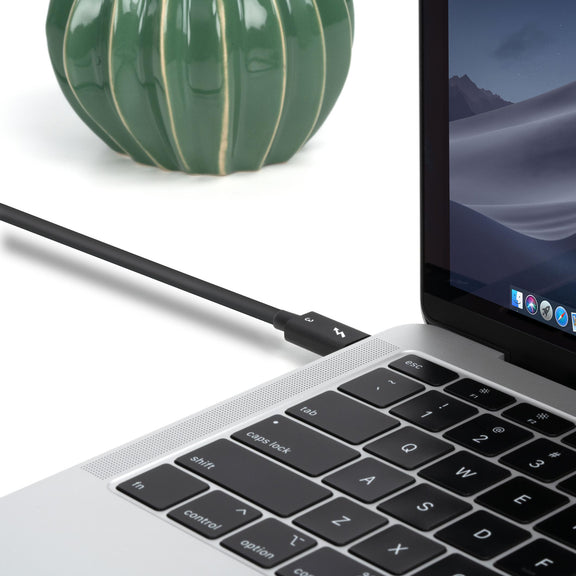
A Cable That Does It All
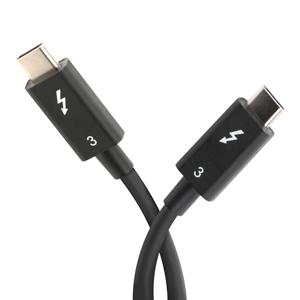
Massive 40Gbps Bandwidth
Because the cable is designed for Thunderbolt 3, it is also capable of supporting data transfer speeds four times as fast as standard USB-C cables. The available 40Gbps bandwidth allows for dual 4K 60Hz video outputs (or a single 5K output) and up to 100W (20V, 5A) capabilities when used with compatible systems and Thunderbolt 3 accessories. Please note for USB-C usage this cable is limited to USB-C 3.0 (5Gbps).
In The Box
| Item and Quantity | Item Notes |
|---|---|
| 1x Thunderbolt 3 80cm Cable |
Included Cables
| Port Type (Side 1) | Cable Specification | Port Type (Side 2) | Cable Length | External Power for Cable |
|---|---|---|---|---|
| Male Thunderbolt™ 3 or USB-C | Thunderbolt™ 3 (40Gbps) | Thunderbolt™ 3 or USB-C | 0.8m/2.62ft | No |
Video
| Port | Placement | Specification | Max Resolution and Refresh Rate | HDCP | Chipset |
|---|---|---|---|---|---|
| 1x USB-C (Bi-Directional) |
Cable End | Host Dependent | 3840x2160 @ 60Hz 3840x2160 @ 60Hz3840x1600 @ 60Hz 3440x1440 @ 60Hz 2560x1440 @ 60Hz 2560x1080 @ 60Hz 1920x1080 @ 60Hz 1600x900 @ 60Hz 1280x1024 @ 60Hz 1280x800 @ 60Hz 1280x720 @ 60Hz 1152x864 @ 60Hz 1024x768 @ 60Hz 800x600 @ 60Hz 640x480 @ 60Hz |
Supported |
Video Output Modes
| Host Stream Specification | Host Port Type | Number of Displays Used | Max Resolution at Display Count |
|---|---|---|---|
| Thunderbolt™ 3 or USB-C | 2 | 3840x2160 @ 60Hz |
Connection To Host
| Port | Placement | Version and Link Rate | Features |
|---|---|---|---|
| 1x Thunderbolt™ 3 | Cable End | Thunderbolt™ 3 (40Gbps) |
Physical Stats
| Item | Size (H x W x D) or Length | Weight | SKU or Part Number |
|---|---|---|---|
| Thunderbolt 3 Cable | 0.8 meters 2.6 feet |
46 grams 1.6 ounces |
TBT3-40G80CM |
Get Started
- Connect one end of the USB-C cable to the host device
- Connect the other end of the USB-C cable to the other desired device.
Filter Help Articles and Frequent Questions by Category
Choose one or more filters within each category to narrow down the articles. Each selection will result in only displaying articles that include all of your choices.
Articles
Well how about that, it looks like we don't have any articles matching your filters! Try removing one of your choices or clear the filters to show all articles.
You can always contact support if you need help too!
USB-C vs. Thunderbolt: Understanding the Differences
At first glance, USB-C and Thunderbolt ports may look the same, but their capabilities can vary significantly. Understanding these differences is key to ensuring compatibility and getting the most out of your Plugable devices.
What is USB-C?
USB-C is a type of connector that supports a range of protocols including data transfer, video output, and charging. It's widely adopted across modern laptops, smartphones, tablets, and more.
Common USB-C Standards:
- USB 3.0 / 3.1 Gen 1: Up to 5Gbps data transfer.
- USB 3.2 Gen 2: Up to 10Gbps data transfer.
- USB 3.2 Gen 2x2: Up to 20Gbps data transfer.
- USB4: Up to 40Gbps data transfer, supports DisplayPort 1.4 and optional Thunderbolt 3 compatibility.
Note: USB-C ports may or may not support features like video output (DisplayPort Alt Mode) or USB Power Delivery (PD). Always check your device's specs.
What is Thunderbolt?
Thunderbolt is a hardware interface developed by Intel (in collaboration with Apple for earlier versions) that builds on USB-C, but adds advanced features and higher performance.
Thunderbolt Versions:
Thunderbolt 3:
- Up to 40Gbps data transfer
- Supports two 4K displays or one 5K display
- Supports USB, DisplayPort, and PCIe over a single cable
- Provides up to 100w of Power Delivery (PD)
Thunderbolt 4:
- Maintains Thunderbolt 3's speeds (40Gbps)
- Support for dual 4K or one 8K display
- Can be used with USB4 ports
- Provides up to 100w of PD
Thunderbolt 5:
- Up to 80Gbps bi-directional bandwidth, and up to 120Gbps in one direction for high-bandwidth applications (using Bandwidth Boost)
- Supports dual 6K displays or a single high-refresh-rate 8K display
- Backward compatible with Thunderbolt 4 and USB4
- Enhanced PCIe support and improved power efficiency
- Ideal for advanced gaming setups, content creation, and future-proof professional workflows
USB-C vs. Thunderbolt: Key Differences
Feature |
USB-C |
Thunderbolt 3/4/5 |
Connector |
USB-C |
USB-C |
Max Data Speed |
5-20Gbps (USB 3.x/USB4) |
40Gbps (TB3/4), up to 120Gbps (TB5) |
Video Output |
Optional (Alt Mode) |
(4K/6K/8K support) |
Power Delivery |
Optional |
Up to 100W (240W for Thunderbolt 5 on USB-C PD 3.1) |
PCIe Support |
No |
Yes |
Daisy-Chaining Devices |
No |
Yes |
How to Identify Each Port
- Thunderbolt ports often have a lightning bolt symbol next to the port.
- USB-C ports may be unmarked or show a symbol for power or DisplayPort.
- Refer to your laptop or device’s technical specifications for confirmation.
Compatibility Tips
- Thunderbolt 3/4/5 devices can typically connect to USB-C ports, but they will function at reduced capabilities (e.g., lower speeds, fewer display outputs).
- USB-C devices can connect to Thunderbolt ports and work normally, but won’t take advantage of Thunderbolt’s full capabilities.
Understanding whether your device supports USB-C, Thunderbolt, or both can help you choose the right Plugable docking station or adapter for your needs. If you run into any questions, feel free to reach out to our support team at support@plugable.com
What is the maximum length Thunderbolt cable that can be used to connect a Plugable Thunderbolt docking station to the host computer?
All Thunderbolt docking stations include the appropriate Thunderbolt cable in order to connect the docking station to the host computer. As of this writing, all Plugable Thunderbolt host cables that are included with Plugable Thunderbolt docking stations are 1.0 meter (approximately 3.3) feet in overall length.
For reference, the specifications of all Plugable Thunderbolt cables are printed on a small white cable flag attached to the cable itself.
If the original 1.0 meter long Thunderbolt host cable is not sufficient for a specific use case, longer cables of up to 2.0 meters (approximately 6.6 feet) in overall length can be purchased separately from Plugable. An example of such a cable is the Plugable TBT4-40G2M cable
Plugable does NOT support using Thunderbolt host connection cables that are over 2.0 meters in overall length with any Plugable brand product.
Plugable does NOT support the use of any type of Thunderbolt extension cable or any type of signal repeater in conjunction with our products.
Please note, Plugable can only guarantee the performance and compatibility of Plugable brand cables.
- Choosing a selection results in a full page refresh.
Presale Signup
Please note: Not all products are available globally