Hassle free, 2-Year Warranty
Fast, Free Shipping on Orders $35+
Lifetime Technical Support
30-Day Money Back Guarantee
Plugable 12-Outlet Power Strip with 2-Port USB Charger
$69.99 USD
SKU: PS12-USB2BAmazon Rating : (1053 Reviews)
Features
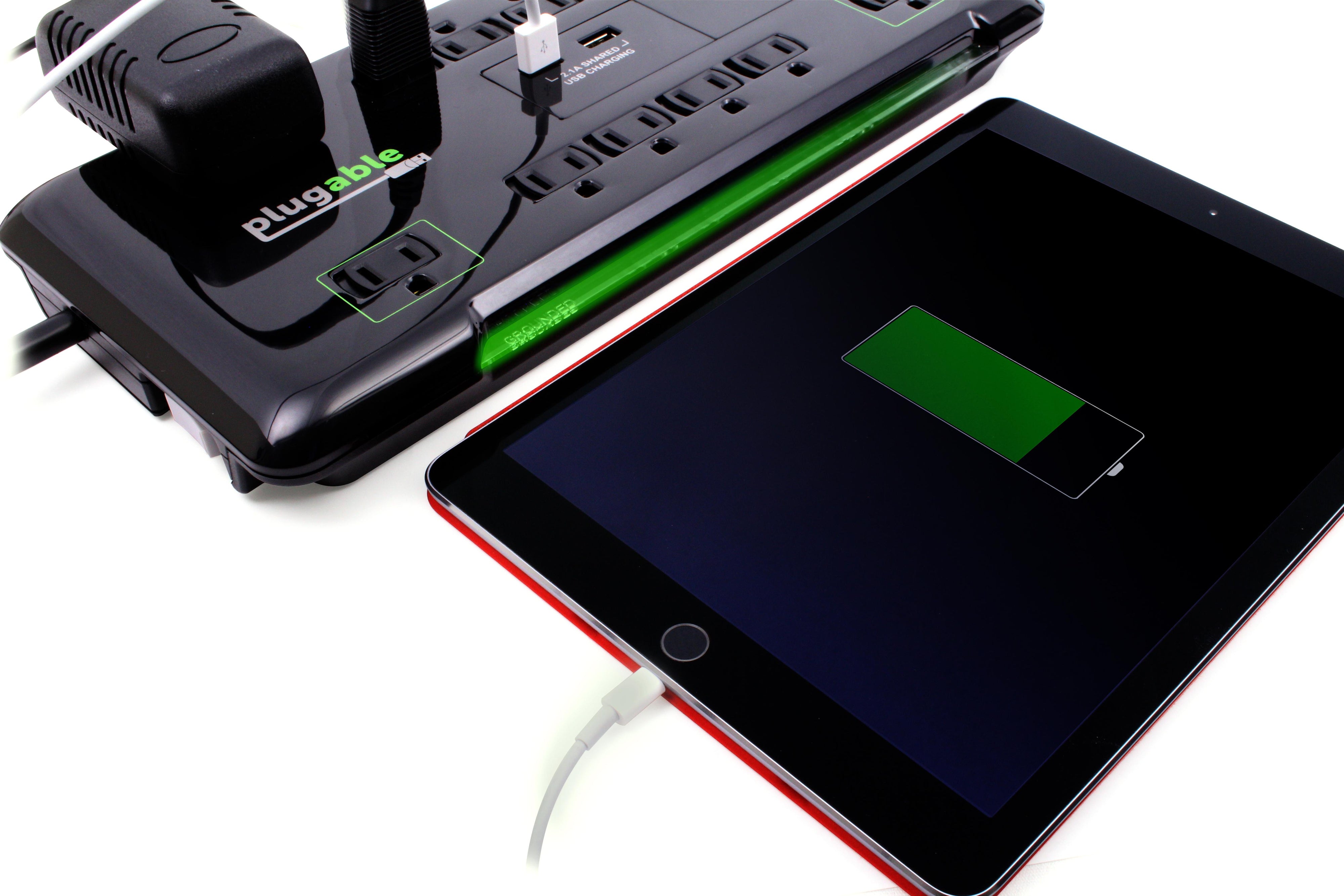
- Power and Protect— 12 outlet surge protector with four extra-wide spaced outlets and USB charging and a 6 foot cable
- Surge Suppression— 4320 Joules of protection with built-in EMI/RFI Filter and 2-in-1 power/circuit breaker switch. UL/cUL Rated
- Ideal for Various Environments— Perfect for offices, labs, school environments, retail counters, AV/event setups, hospitality and remote teams —power everything from IT gear and POS systems to lab instruments and prototyping tools with high-capacity surge protection and versatile outlet spacing.
- Compatibility— Supports up to 15A combined across all ports, great for computers, media centers, includes 4x slots for wall mounting screws.
- Lifetime Support— This device has been designed with reliability at its core and was built to meet the deployment demands of IT departments and the ease of use necessary for home offices. Includes lifetime support from our North American team of connectivity experts
For volume orders or business inquiries contact sales@plugable.com
Free 3-Day Continental U.S. Shipping When Buying Direct!
All Buying Options
Power and Charge Everything
The Plugable 12-Outlet Power Strip with 2-Port USB Charger (PS12-USB2B) can help expand and declutter your power needs by offering 12 additional standard US 3-prong grounded power outlets, with sliding safety covers, in one elegant package. Its compact design and lengthy cable make it very easy to create the perfect all-in-one power setup for the home or office. Four outlets are widely spaced to fit large "wall wart" power adapter bricks.
Surge Suppression
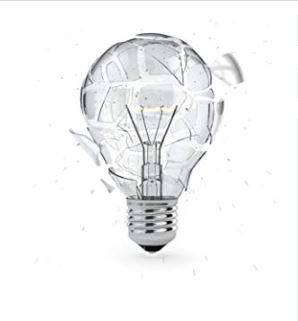
This power strip also provides surge suppression for up to 12 devices. Devices are safer than ever during voltage spikes or electrical storms.
Note: No surge suppression device can assure protection from a direct lightning strike.
Features
- 12x surge protected power outlets
- 4320 Joules of protection
- Built-in EMI/RFI filter
- UL/cUL Listed (File #: E115193)
- Wall mountable
Long Cable
With the permanently-attached 6ft cable, this surge suppressor can be located nearly anywhere you need power. From the desktop, under the desk, or across the room, you can provide protected power and USB charging to those hard-to-reach areas.
In The Box
| Item and Quantity | Item Notes |
|---|---|
| 1x Plugable 12-Outlet Power Strip with 2-Port USB Charger |
Power Strip Outlets
| Outlet Count and Standard | Input Voltage and Frequency | Cable Length | Clamping Voltage | Max Spike Voltage | Response Time | EMI/RFI Filter Range and Attenuation |
|---|---|---|---|---|---|---|
| 12x IEC Type B | 120VAC 60Hz |
1.8m 6.0ft |
400-500v | 6000v | 1ns | 150Khz - 100Mhz 58dB |
Physical Stats
| Item | Size (H x W x D) or Length | Weight | SKU or Part Number |
|---|---|---|---|
| Plugable 12-Outlet Power Strip | 2.5 x 31 x 15 centimeters 1 x 12.2 x 5.9 inches |
896 grams 31.6 ounces |
PS12-USB2B |
Filter Help Articles and Frequent Questions by Category
Choose one or more filters within each category to narrow down the articles. Each selection will result in only displaying articles that include all of your choices.
Articles
Well how about that, it looks like we don't have any articles matching your filters! Try removing one of your choices or clear the filters to show all articles.
You can always contact support if you need help too!
Why can't I drive two external extended displays with my Google Pixel phone?
Google Pixel phones support USB-C DisplayPort Alternate Mode for wired video output, but due to Android OS limitations, they cannot produce two extended external displays using MST, DisplayLink, or Thunderbolt docking technologies. This is a platform constraint, not a hardware or dock issue.
Understanding the Limitation
Google Pixel phones are limited by the Android operating system’s handling of external displays. Supported Google Pixel 8 series and newer phones can output video to an external display through USB-C DisplayPort Alternate Mode. Earlier Pixel models, including the Pixel 7 series, do not support native wired video output through DisplayPort Alt Mode. Android is designed primarily for screen mirroring, and extended display support is extremely limited across Android phones.
Key Point:
Android OS currently restricts Pixel phones to one external display, regardless of the dock or adapter used.
Dock Behavior with Pixel Phones
MST Docks (e.g., Plugable UD-MSTH2)
MST (Multi-Stream Transport) requires the host device to support splitting one DisplayPort signal into multiple independent video streams. While common on Windows and many Chromebooks, Pixel phones do not support MST for extended displays.
When using an MST dock, a Pixel phone will:
- Output to one external display only, or
- Mirror the same content to two connected monitors
- Dual extended desktops are not supported
DisplayLink Docks
DisplayLink technology works on Android through a companion app (e.g., DisplayLink Presenter). However:
- According to the current DisplayLink Presenter app listing, screen mirroring supports resolutions up to 3840 × 2160 (4K), depending on the Android device, DisplayLink hardware, and connected monitor.
- DisplayLink does not support extending the Android desktop across two independent external monitors on Google Pixel phones.
- DisplayLink Presenter does not provide Android's native Desktop Mode functionality.
Thunderbolt Docks
Google Pixel phones are not Thunderbolt-certified hosts. When connected to a Thunderbolt dock:
- Google Pixel phones do not support Thunderbolt connectivity.
- Some Thunderbolt docking stations support USB-C DisplayPort Alt Mode fallback, allowing a compatible Pixel phone to output video to a single external monitor.
- Video output depends on the specific dock's USB-C compatibility and the Pixel model.
- Thunderbolt docks cannot enable two independent external displays on Pixel phones.
Visual Summary
| Dock Type | Extended Displays | Mirroring | Notes |
|---|---|---|---|
| MST Dock | ❌ | Depends on compatibility | Pixel phones do not support MST for multiple extended displays. A single display may work with compatible hardware. |
| DisplayLink Dock | ❌ | ✅ | Requires DisplayLink Presenter and compatible DisplayLink hardware. Does not support native Desktop Mode. |
| Thunderbolt Dock | ❌ | Depends on compatibility | Requires a dock that supports USB-C DisplayPort Alt Mode fallback and a compatible Pixel phone. |
Recommended Alternatives
If your goal is to use two independent external displays, consider the following instead:
- Windows laptops with DisplayPort MST support
- Chromebooks that support MST
Frequently Asked Questions
Q: Can I use two external monitors as independent extended displays with my Google Pixel phone?
A: No. Supported Pixel phones running Android 16 QPR3 or later can use Desktop Mode to display an independent desktop session on a single external monitor through USB-C DisplayPort Alt Mode. However, Pixel phones do not currently support two independent external displays through MST, DisplayLink, or Thunderbolt docking stations.
Q: Can DisplayLink Presenter support two independent external monitors on a Google Pixel phone?
A: No. DisplayLink Presenter supports screen mirroring to an external display but does not allow Google Pixel phones to extend their desktop across two independent external monitors.
Q: Why do Windows and ChromeOS devices support MST while Google Pixel phones do not?
A: Windows and supported ChromeOS devices can use DisplayPort Multi-Stream Transport (MST) to drive multiple independent external monitors through a compatible USB-C connection. Google Pixel phones do not currently support MST for multiple extended external displays. This is a limitation of the platform's supported display functionality rather than necessarily a limitation of the phone's GPU hardware.
Conclusion
While Google Pixel phones are capable of driving a single external display, dual extended monitors are not possible due to Android OS restrictions. This applies across all dock types, including MST, DisplayLink, and Thunderbolt. For users requiring robust multi-display setups, we recommend using a Windows or Chromebook device that supports MST alongside a compatible docking station like the Plugable UD-MSTH2.
If you have any questions or need help selecting a compatible dock, reach out to our support team at support@plugable.com.
Surge protector power switch problem
The rocker switch on our surge protectors isn't just a simple on/off switch, it's a 15A (Amps) circuit breaker similar to what can be found in most household power panels. If the switch on your surge protector will not stay in the RESET position, there are a few possible causes.
A device is drawing too much current
- If a simple low-current device is triggering the circuit breaker, it likely has a direct short. Try disconnecting everything from the surge protector and attach each device one-at-a-time until one of the devices triggers the breaker.
- If multiple devices combined draw more than 15A total, the breaker will be tripped. Try removing one device at a time and resetting the breaker to see if it stays on.
- Not all devices will draw full power all the time, devices like portable AC units, pumps, compressor motors etc., have variable loads and when combined may exceed the current rating of the power strip, and possibly the home or office circuit breaker.
- A device that requires more than 15A cannot be used with this surge protector, and likely should not be attached to a wall outlet either, as a majority of household circuits in the US only support 15A. Many garages will have 20A circuits instead to support high-current devices like power tools necessitating 20A power strips and surge suppressors specifically designed for power tools.
Electrical events have caused a total failure of the surge protector
- The Joule rating on a surge protector describes how much total energy the protection circuit can absorb before failure. The surge protector relies on Metal Oxide Varistors (MOVs) to absorb excess voltage spikes. Each event is cumulative, degrading the MOV slightly, so many small surges or one large surge can cause failure.
- Failure modes: some surge protectors will silently fail, continuing to power connected devices but no longer inhibiting surges. We don't want our customers attaching valuable devices to a power strip that is no longer protecting their investments and choose to have it fail-safe, however that does mean it may stop working after a surge, lightning strike, power outage, etc.
- Every consumer-grade surge protector will eventually fail in this manner. The power strip cannot be repaired and must be replaced.
If you have any questions please feel free to contact us at support@plugable.com and we'll be happy to help!
- Choosing a selection results in a full page refresh.
Presale Signup
Please note: Not all products are available globally