Hassle free, 2-Year Warranty
Fast, Free Shipping on Orders $35+
Lifetime Technical Support
30-Day Money Back Guarantee
Plugable USB-C Extension Cable with Built-In Multimeter Tester, Fast Charging, 3.3 ft
$27.95 USD
SKU: USBC-METER3-1MFAmazon Rating : (143 Reviews)
Features
- At a Glance— Durable, high-performance 3.3’ (1M) USB-C extension cable (USBC-METER3-1MF) transfers data up to 10Gbps, supports 240W Extended Power Range, Alt Mode video up to 4K 60Hz, and features a digital power meter. It’s an incredibly versatile cable
- Ultra High-Speed Charging— Male to female USB-C extension cable delivers up to 240W, Video, and 10Gbps data. Connect it to your current charger and USB C charger cable,to charge even the most power-hungry laptops and devices from farther away. A whole 3.3’ (1m) farther away
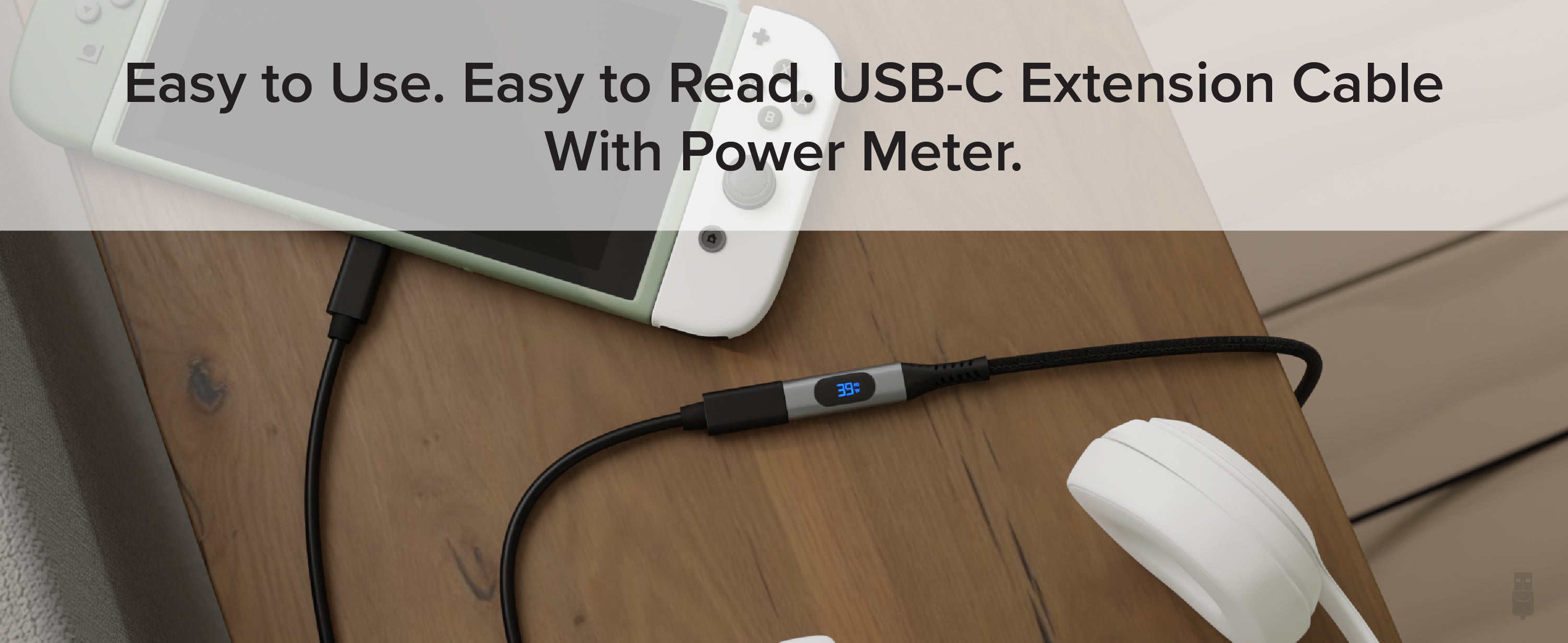
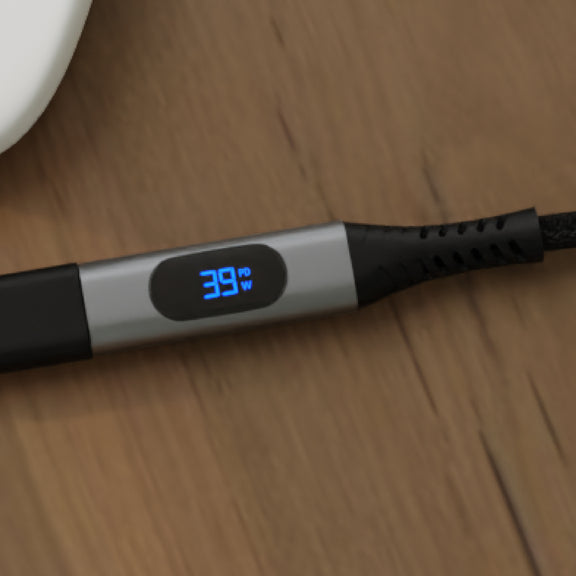
- Built-In Power Meter— Easy to use, digital read-out to monitor power usage or charging flow of your device, doesn’t sacrifice advanced USB-C features missing from lesser extenders. A braided black cord protects the USB C charging cable. This Type C to Type C cable is built to last
- Works With— Broad compatibility with USB-C devices and advanced features. It is worth noting that the power, data, and video capabilities are dependent on the capabilities of the USB-C cable and other devices connected to this extension cable
- 2-Year Coverage, Lifetime Support— Every Plugable product, including this 3ft USB C extension cable, is covered against defects for 2 years and comes with lifetime support. If you ever have questions, contact our North American-based team - even before purchase
For volume orders or business inquiries contact sales@plugable.com
Free 3-Day Continental U.S. Shipping on Orders Over $35!
All Buying Options
The Plugable USB 10Gbps USBC to USBC extension cable (male to female) with Built-In 240W Power Meter with Male and Female connection (USBC-METER3-1MF) has a lot going for it. For starters, it’ll extend your current USBC cable by 3.3’ (1m), and deliver up to 240W of charging power. That means you can combine it with your laptop’s USB-C charging cable to give you (and your laptop) a little extra room to move around.
When extending an equally capable USB Type C cable, like the Plugable USB4-240W-1M, get 240W Extended Power Range support, or support for video Alt mode at up to 4K 60Hz. It also supports impressive 10Gbps data transfer speeds. It also braided cord and the aluminum housing to keep it durable.
Of course, the most unique feature of the Plugable USB-C to USB-C cable is the built-in USB power meter. Now your USB C cord can monitor your power draw and consumption. Check to see if all of your laptop’s USB-C ports deliver the same charge. And you’ll finally find out if that “Super Best Fast Speed Charger” you ordered (I mean it was so cheap how could you resist) actually delivers the charge it claims on the package.
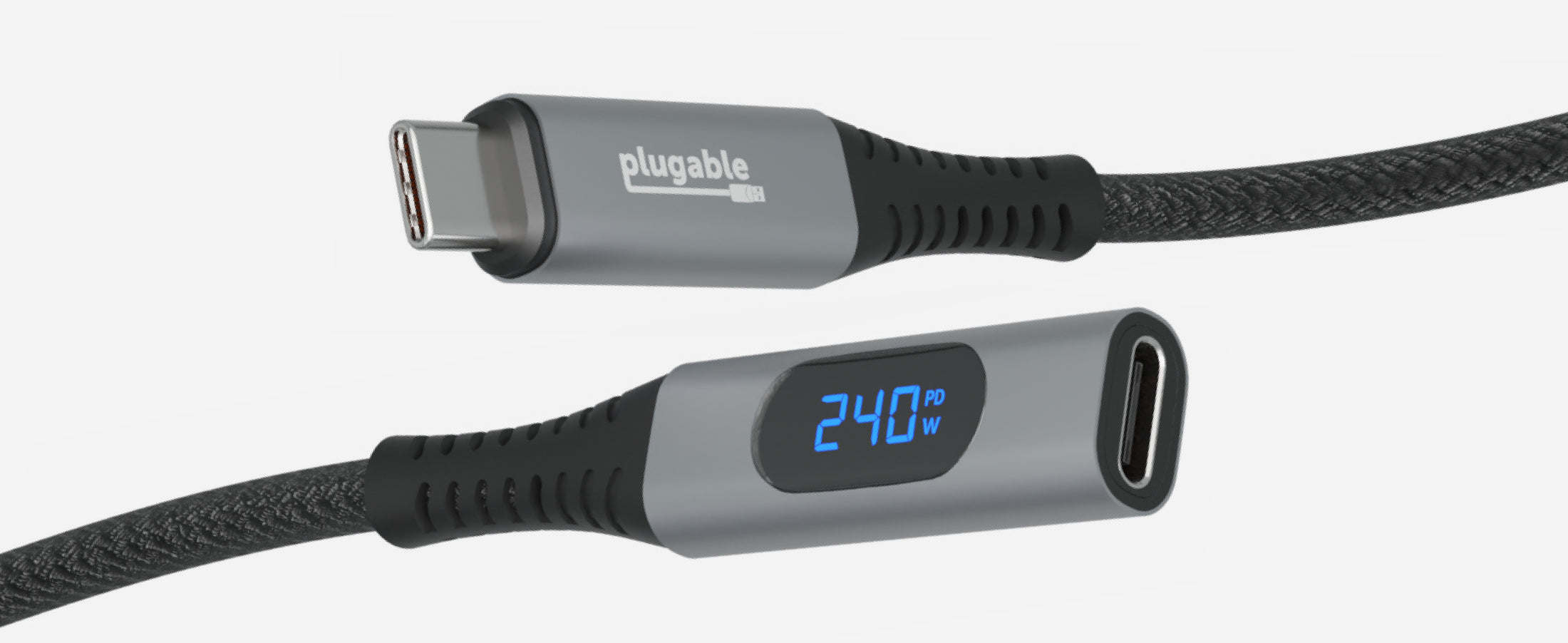
Built-In Power Meter
Measure your power flow and consumption with real-time monitoring on the digital power meter.
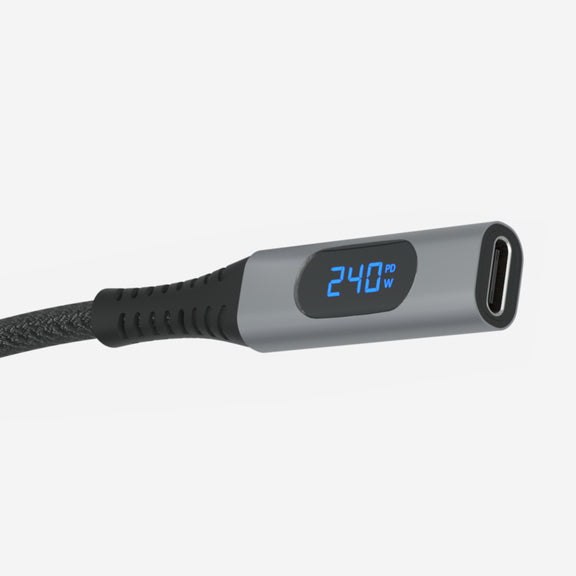
240W Extended Power Range
The first USB-C extension cable with a power meter capable of 240W power delivery.
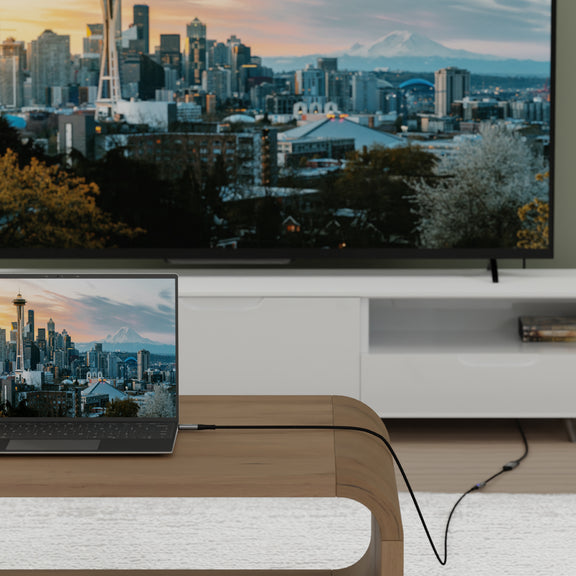
4K 60Hz Video
Supports video over USB-C DisplayPort Alternate Mode at up to 4K 60Hz.
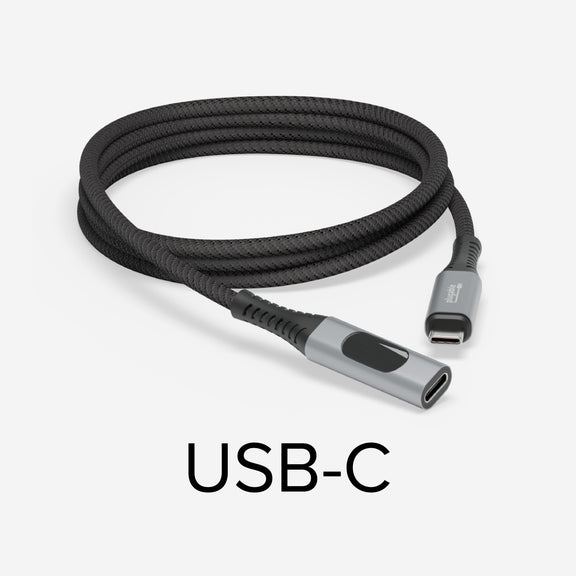
Compatibility
Compatible with most USB-C devices. Actual performance depends on connected devices.
In The Box
| Item and Quantity | Item Notes |
|---|---|
| 1x USB Type-C 1m Extension Cable |
Included Cables
| Port Type (Side 1) | Cable Specification | Port Type (Side 2) | Cable Length | External Power for Cable |
|---|---|---|---|---|
| Male USB-C | USB 3.2 Gen 2 (10Gbps) | USB-C | 1.0m/3.28ft | No |
Video
| Port | Placement | Specification | Max Resolution and Refresh Rate | HDCP | Chipset |
|---|---|---|---|---|---|
| 1x USB-C (Bi-Directional) |
Cable End | Host Dependent | 3840x2160 @ 60Hz 3840x2160 @ 60Hz3840x1600 @ 60Hz 3440x1440 @ 60Hz 2560x1440 @ 60Hz 2560x1080 @ 60Hz 1920x1080 @ 60Hz 1600x900 @ 60Hz 1280x1024 @ 60Hz 1280x800 @ 60Hz 1280x720 @ 60Hz 1152x864 @ 60Hz 1024x768 @ 60Hz 800x600 @ 60Hz 640x480 @ 60Hz |
Supported |
Video Output Modes
| Host Stream Specification | Host Port Type | Number of Displays Used | Max Resolution at Display Count |
|---|---|---|---|
| USB-C | 1 | 3840x2160 @ 60Hz |
Connection To Host
| Port | Placement | Version and Link Rate | Features |
|---|---|---|---|
| 1x USB-C | Cable End | USB 3.2 Gen 2 (10Gbps) |
Physical Stats
| Item | Size (H x W x D) or Length | Weight | SKU or Part Number |
|---|---|---|---|
| USB-C Extension Cable | 1 meters 3.3 feet |
48 grams 1.7 ounces |
USBC-METER3-1MF |
When paired with a capable USB-C cable this USB-C extension cable is compatible with virtually all USB-C chargers, devices, and hosts, including support for USB 10Gbps, DisplayPort Alternate Mode video (up to 4K 60Hz), and up to 240W USB-C Power Delivery R3.1 EPR (Extended Power Range) charging. Not compatible with Intel Thunderbolt 3, 4, or USB4 devices.
How it works:
This USB-C extension cable with meter is a transparent interposer–it should not interfere with USB data, USB-C Alternate Mode video, or USB-C charging. The cable can be used in-line with USB-C docking stations, chargers, and other USB-C accessories. The cable is able to achieve this without interfering with normal USB-C operation as it only taps into the power (VBUS) and ground connections to measure values and leaves the data lines untouched.
The Plugable USB-C Extension Cable is bi-directional, however, typical usage will have the male side (without power meter display) connected to a charger for example, and the female end (with power meter display) will be connected to another USB-C to USB-C cable going to the device being charged.
Another common use case would be using this cable to provide easier access to a hard to reach USB-C port on the back of a desktop computer or docking station, extending the USB-C connection to a more convenient location and with the meter display easily viewable.
Ultimately which side is used for input or output does not matter. If current is flowing, the meter's display should turn on and show the approximate charge rate in watts.
Important notes:
- This USB-C extension cable with meter is not meant to replace professional USB-C test equipment, it is designed for quick/easy measurement of wattage for users of any skill level.
- Not compatible with Intel Thunderbolt 3, 4, or USB4 devices.
- Under normal circumstances the meter will not power on without a device connected (host, charger, accessory, etc) at both ends. If the meter turns on when only connected at one end, the attached device is "VBUS hot" which is against USB-C specifications.
Questions? We're here to help! Please reach out to us at support@plugable.com
Filter Help Articles and Frequent Questions by Category
Choose one or more filters within each category to narrow down the articles. Each selection will result in only displaying articles that include all of your choices.
Articles
Well how about that, it looks like we don't have any articles matching your filters! Try removing one of your choices or clear the filters to show all articles.
You can always contact support if you need help too!
Why can't I drive two external extended displays with my Google Pixel phone?
Google Pixel phones support USB-C DisplayPort Alternate Mode for wired video output, but due to Android OS limitations, they cannot produce two extended external displays using MST, DisplayLink, or Thunderbolt docking technologies. This is a platform constraint, not a hardware or dock issue.
Understanding the Limitation
Google Pixel phones are limited by the Android operating system’s handling of external displays. While many Pixel models (such as the Pixel 7 and Pixel 8 series) support USB-C DisplayPort Alternate Mode, they can only output to a single external display at a time. Android is designed primarily for screen mirroring, and extended display support is extremely limited across Android phones.
Key Point:
Android OS currently restricts Pixel phones to one external display, regardless of the dock or adapter used.
Dock Behavior with Pixel Phones
MST Docks (e.g., Plugable UD-MSTH2)
MST (Multi-Stream Transport) requires the host device to support splitting one DisplayPort signal into multiple independent video streams. While common on Windows and many Chromebooks, Pixel phones do not support MST for extended displays.
When using an MST dock, a Pixel phone will:
- Output to one external display only, or
- Mirror the same content to two connected monitors
- Dual extended desktops are not supported
DisplayLink Docks
DisplayLink technology works on Android through a companion app (e.g., DisplayLink Presenter). However:
- Android only supports a single external display via DisplayLink
- DisplayLink docks cannot be used to achieve multiple extended monitors from a Pixel device
- DisplayLink is not recommended for dual display use on Android
Thunderbolt Docks
Google Pixel phones are not Thunderbolt-certified hosts. When connected to a Thunderbolt dock:
- They revert to basic USB-C DisplayPort Alternate Mode
- Only a single mirrored display is possible
Visual Summary
| Dock Type | Extended Displays | Mirroring | Notes |
|---|---|---|---|
| MST Dock | ❌ | ✅ | No MST support on Android |
| DisplayLink Dock | ❌ | ✅ | Requires DisplayLink app |
| Thunderbolt Dock | ❌ | ✅ | Functions as USB-C only |
Recommended Alternatives
If your goal is to use two independent external displays, consider the following instead:
- Windows laptops with DisplayPort MST support
- Chromebooks that support MST
Frequently Asked Questions
Q: Can I extend my Pixel’s screen to two monitors using any method?
A: No. As of now, Android does not support multiple extended displays. Only mirroring to one display is possible.
Q: Does DisplayLink allow multiple displays on Android?
A: No. Even with DisplayLink’s Android app, you are limited to one external display.
Q: Why do Windows and ChromeOS devices work with MST but not Android?
A: Android lacks support for DisplayPort MST and advanced GPU capabilities required for multiple display outputs. This is a software/platform-level limitation.
Conclusion
While Google Pixel phones are capable of driving a single external display, dual extended monitors are not possible due to Android OS restrictions. This applies across all dock types, including MST, DisplayLink, and Thunderbolt. For users requiring robust multi-display setups, we recommend using a Windows or Chromebook device that supports MST alongside a compatible docking station like the Plugable UD-MSTH2.
If you have any questions or need help selecting a compatible dock, reach out to our support team at support@plugable.com.
What is USB-C Power Delivery R3.1 Extended Power Range (EPR)?
The new USB Power Delivery specifications allow for the delivery of up to 240W via a USB Type-C cable (an increase from the previous 100W max). The previous Power Delivery range has been relabeled as Standard Power Range (SPR), and the new specifications (between 100W and 240W), have been labeled as Extended Power Range (EPR).
For a more in-depth look feel free to check out our blog post on this topic here: https://plugable.com/blogs/news/what-is-240w-usb-extended-power-range-epr
USB-C vs. Thunderbolt: Understanding the Differences
At first glance, USB-C and Thunderbolt ports may look the same, but their capabilities can vary significantly. Understanding these differences is key to ensuring compatibility and getting the most out of your Plugable devices.
What is USB-C?
USB-C is a type of connector that supports a range of protocols including data transfer, video output, and charging. It's widely adopted across modern laptops, smartphones, tablets, and more.
Common USB-C Standards:
- USB 3.0 / 3.1 Gen 1: Up to 5Gbps data transfer.
- USB 3.2 Gen 2: Up to 10Gbps data transfer.
- USB 3.2 Gen 2x2: Up to 20Gbps data transfer.
- USB4: Up to 40Gbps data transfer, supports DisplayPort 1.4 and optional Thunderbolt 3 compatibility.
Note: USB-C ports may or may not support features like video output (DisplayPort Alt Mode) or USB Power Delivery (PD). Always check your device's specs.
What is Thunderbolt?
Thunderbolt is a hardware interface developed by Intel (in collaboration with Apple for earlier versions) that builds on USB-C, but adds advanced features and higher performance.
Thunderbolt Versions:
Thunderbolt 3:
- Up to 40Gbps data transfer
- Supports two 4K displays or one 5K display
- Supports USB, DisplayPort, and PCIe over a single cable
- Provides up to 100w of Power Delivery (PD)
Thunderbolt 4:
- Maintains Thunderbolt 3's speeds (40Gbps)
- Support for dual 4K or one 8K display
- Can be used with USB4 ports
- Provides up to 100w of PD
Thunderbolt 5:
- Up to 80Gbps bi-directional bandwidth, and up to 120Gbps in one direction for high-bandwidth applications (using Bandwidth Boost)
- Supports dual 6K displays or a single high-refresh-rate 8K display
- Backward compatible with Thunderbolt 4 and USB4
- Enhanced PCIe support and improved power efficiency
- Ideal for advanced gaming setups, content creation, and future-proof professional workflows
USB-C vs. Thunderbolt: Key Differences
Feature |
USB-C |
Thunderbolt 3/4/5 |
Connector |
USB-C |
USB-C |
Max Data Speed |
5-20Gbps (USB 3.x/USB4) |
40Gbps (TB3/4), up to 120Gbps (TB5) |
Video Output |
Optional (Alt Mode) |
(4K/6K/8K support) |
Power Delivery |
Optional |
Up to 100W (240W for Thunderbolt 5 on USB-C PD 3.1) |
PCIe Support |
No |
Yes |
Daisy-Chaining Devices |
No |
Yes |
How to Identify Each Port
- Thunderbolt ports often have a lightning bolt symbol next to the port.
- USB-C ports may be unmarked or show a symbol for power or DisplayPort.
- Refer to your laptop or device’s technical specifications for confirmation.
Compatibility Tips
- Thunderbolt 3/4/5 devices can typically connect to USB-C ports, but they will function at reduced capabilities (e.g., lower speeds, fewer display outputs).
- USB-C devices can connect to Thunderbolt ports and work normally, but won’t take advantage of Thunderbolt’s full capabilities.
Understanding whether your device supports USB-C, Thunderbolt, or both can help you choose the right Plugable docking station or adapter for your needs. If you run into any questions, feel free to reach out to our support team at support@plugable.com
Can I connect this product to a computer's Thunderbolt/Thunderbolt 2 port?
Many users assume that USB-C devices can work with older Thunderbolt 2 Macs if they use a Thunderbolt 3 to Thunderbolt 2 adapter, such as the one made by Apple. However, this is not the case. These adapters are specifically designed to support Thunderbolt devices only - not standard USB-C peripherals.
While Thunderbolt 3 and USB-C share the same connector type, they use different underlying data protocols. Non-Thunderbolt USB-C devices, rely on USB standards for data and power. The Thunderbolt 3 to Thunderbolt 2 adapter does not carry USB signals; it only passes Thunderbolt data. Because of this, plugging a USB-C device into a Thunderbolt 2 Mac using this adapter will not work - the computer will not detect or communicate with the device.
If you need to connect peripherals to a Thunderbolt 2 system, we recommend using a USB-A dock or hub (if available on your system). This ensures compatibility without relying on unsupported adapter chains.
In short, even though the connectors may fit, USB-C devices are not compatible with Thunderbolt 2 Macs via Thunderbolt adapters - only Thunderbolt devices will work in that setup.
- Choosing a selection results in a full page refresh.
Presale Signup
Please note: Not all products are available globally