Apple Silicon Connectivity Solutions with Plugable
MacBooks with Apple silicon are known for their stellar performance and efficiency, but external display support has evolved significantly across chip generations.
M1, M2, and M3:
Base models of M1 and M2 MacBooks officially support only a single external display. The M3 generation introduced support for two external displays, but only in "clamshell mode" (with the laptop lid closed). For these models, Plugable’s DisplayLink-powered docks and adapters remain the gold standard, allowing you to bypass these limits and add multiple monitors while keeping your laptop open.
M4 and M5:
With the M4 and latest M5 chip releases, Apple has further lifted these restrictions. The base M5 MacBook Air and M5 MacBook Pro now natively support two external displays (up to 6K at 60Hz) while the laptop remains open. This allows users to fully leverage Plugable’s high-performance Thunderbolt 4 and Thunderbolt 5 docking stations for maximum resolution and refresh rates without needing additional drivers.
M5 Pro and M5 Max:
For power users on the M5 Pro and M5 Max MacBook Pro, native support extends even further, supporting three to four external displays. These machines feature Thunderbolt 5, providing massive bandwidth for high-resolution 8K setups and ultra-fast data transfer.
The New MacBook Neo
The ultra-portable MacBook Neo brings Apple Silicon to a new form factor but follows the entry-level display protocol, supporting one external display (up to 4K at 60Hz) via its USB-C port. For Neo users looking to build a multi-monitor workstation, a Plugable DisplayLink dock or adapter is the key to unlocking a second or third screen.
In this collection of resources, you'll find:
- ✅ Compatibility Guides for the new M5, M5 Pro/Max, and MacBook Neo
- ✅ Recommended Docks for two, three, four, and even five display setups
- ✅ Thunderbolt 5 Accessories to future-proof your M5 Pro/Max workflow
- ✅ Essential Hubs and Chargers for the ultra-portable MacBook Neo
Let's get you connected! ⤵️
From the Plugable Blog


Tested and Approved
We've tested the new MacBook Neo, MacBook Air M5, and MacBook Pro M5 with our products. Click below to see the full testing results.


We went hands-on with all the new MacBooks. Check out the videos below.
How to use multiple monitors with the new MacBook Neo.
These are the best docks for the MacBook Air M5 and MacBook Pro M5.

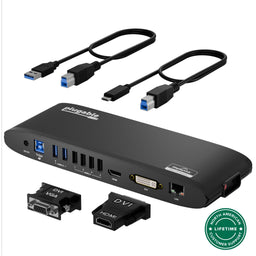
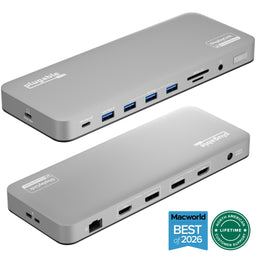
Dual Display USB-C Docking Stations (DisplayLink)
While Apple Silicon offers industry-leading efficiency, native external display support varies by model. Entry-level Macs—including the M1, M2, and M3 MacBook Air, as well as the new MacBook Neo—are hardware-limited to a single external monitor (with the M3 supporting two only in clamshell mode).
Plugable docking stations with DisplayLink technology bypass these system-level restrictions. By using a universal driver, these docks allow you to connect two or more independent displays to any Apple Silicon Mac, even the base-level models.
Compare select Plugable dual-display docking stations below:
 |
 |
 |
|
|---|---|---|---|
Laptop Connection |
USB-A or USB-C |
USB-A or USB-C |
USB-C |
Video Connections |
HDMI |
DVI & HDMI |
DisplayPort or HDMI |
Max Resolution |
1920x1200 @ 60Hz & 2560x1440 @ 50Hz |
1920x1200 @ 60Hz |
3840x2160 @ 60Hz |
Laptop Charging |
N/A |
N/A |
100W |
Total Ports |
12 |
12 |
14 |
Triple Display USB-C Docking Stations (DisplayLink)
Transform your laptop into a massive workstation. For the MacBook Neo and base-level M1, M2, M3, M4, and M5 models, native hardware limits typically restrict you to one or two external screens.
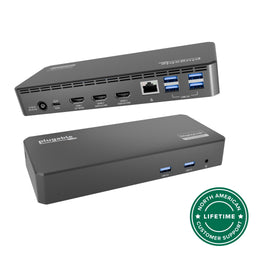
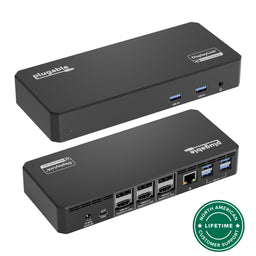
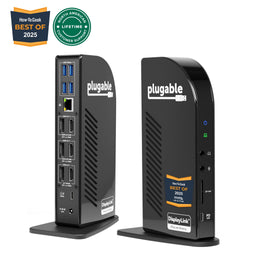
Plugable’s triple-display docking stations, powered by DisplayLink, overcome these limitations by connecting three independent 4K monitors via a single USB-C or Thunderbolt port. This setup is ideal for maximizing productivity on entry-level Macs or providing a "one-cable" universal solution for offices with a mix of different MacBook generations.
Compare select Plugable triple display docking stations below:
 |
 |
 |
 |
|
|---|---|---|---|---|
Laptop Connection |
USB-C, USB4, Thunderbolt |
USB-C, USB4, Thunderbolt |
USB-C, USB4, Thunderbolt |
USB-C, USB4, Thunderbolt |
Video Connections |
HDMI or Display Port |
HDMI or Display Port |
HDMI or Display Port |
HDMI or Display Port |
Max Resolution |
1x 3840x2160 @ 30Hz & 2x 2048x1152 @ 60Hz |
1x 3840x2160 @ 30Hz & 2x 3840x2160 @ 60Hz |
1x 3840x2160 @ 30Hz & 2x 1920x1200 @ 60Hz |
3x 3840x2160 @ 60Hz |
Laptop Charging |
60W |
60W |
100W |
100W |
Total Ports |
12 |
12 |
13 |
13 |
Quad Display (or more) USB-C Docking Stations (DisplayLink)
For professionals who need maximum screen real estate, Plugable offers industry-leading solutions to drive four or more external monitors. While the M5 Max can natively support four displays, the MacBook Neo and base-to-Pro models across the M1 through M5 generations typically have lower native display limits.
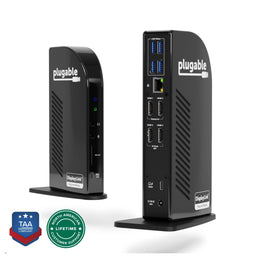
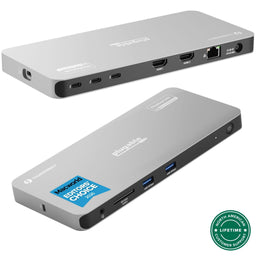
By combining the massive bandwidth of Thunderbolt with the flexibility of DisplayLink technology, our quad-display docking stations enable an expansive, independent four-monitor setup on nearly any Apple Silicon Mac. Whether you're an analyst, developer, or creative, these docks provide a high-resolution, "one-cable" solution to push past Apple's standard display ceilings.
View how our quad and multi-display solutions compare below:
 |
 |
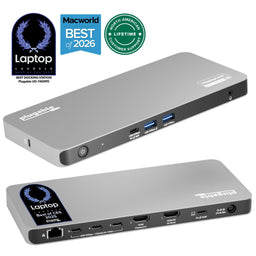 |
|
|---|---|---|---|
Laptop Connection |
USB-C, USB4, Thunderbolt |
USB-C, USB4, Thunderbolt |
USB-C, USB4, Thunderbolt |
Video Connections |
HDMI |
HDMI or USB-C |
HDMI or USB-C |
Max Displays |
4 |
4 |
5 |
Max Resolution |
1900x1200 @ 60Hz |
3840x2160 @ 60Hz |
3840x2160 @ 60Hz |
Laptop Charging |
96W |
100W |
100W |
Total Ports |
14 |
10 |
11 |

Thunderbolt 4 & Thunderbolt 5 Docking Stations
Apple’s introduction of Thunderbolt 5 in the M5 Pro and M5 Max models (and select M4 Pro/Max models) marks the biggest jump in connectivity bandwidth in a decade. However, because Thunderbolt is backward-compatible, choosing the right dock depends on whether you need the extreme speeds of the latest standard or the proven versatility of Thunderbolt 4.
Thunderbolt 5: The New Standard for Power Users
Available on the latest M5 Pro and M5 Max MacBook Pros, Thunderbolt 5 delivers up to 120Gbps of bandwidth—triple that of Thunderbolt 4. This allows native support for dual 6K 60Hz displays on Mac (and up to dual 8K 120Hz on Windows), with massive overhead left for ultra-fast storage. Our flagship TBT-UDT3 is designed to be the centerpiece of these high-end workflows.
Thunderbolt 4: Versatile & High-Performance
For the MacBook Air and the base M1–M5 chips, Thunderbolt 4 (40Gbps) remains the ideal connection. These docks provide a driverless, plug-and-play experience for dual 4K monitors on supported chips and offer a wide array of legacy ports (USB-A, Ethernet, SD) that modern professionals rely on every day.
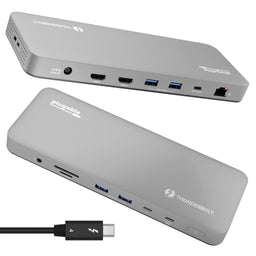
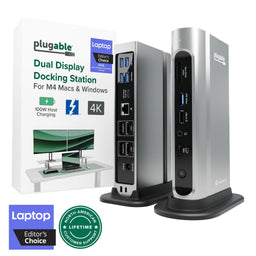
/

Single Display USB-C Hubs
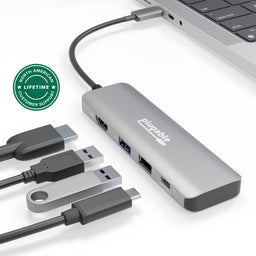
For adding a single display to your Apple Silicon Mac, Plugable's USB-C multiport hubs are a cost-effective yet powerful accessory to increase your productivity. These hubs are excellent accessories to stow in your laptop bag and make great remote or hybrid working companions.
Compare these adapters and their features:
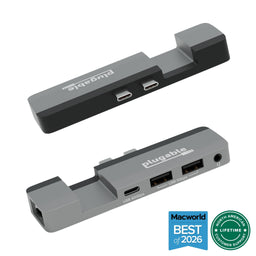 |
 |
 |
 |
 |
|
|---|---|---|---|---|---|
Laptop Connection |
2x USB4/Thunderbolt |
USB-C/USB4/Thunderbolt |
USB-C/USB4/Thunderbolt |
USB-C/USB4/Thunderbolt |
USB-C/USB4/Thunderbolt |
Video Connections |
USB-C |
HDMI |
HDMI |
HDMI |
HDMI |
Max Resolution |
6016×3384 @ 60Hz |
3840x2160 @60Hz |
3840x2160 @ 30Hz |
3840x2160 @ 60Hz |
3840x2160 @ 60Hz |
Laptop Charging |
100W |
100W |
87W |
87W |
125W |
Total Ports |
5 |
4 |
7 |
7 |
9 |