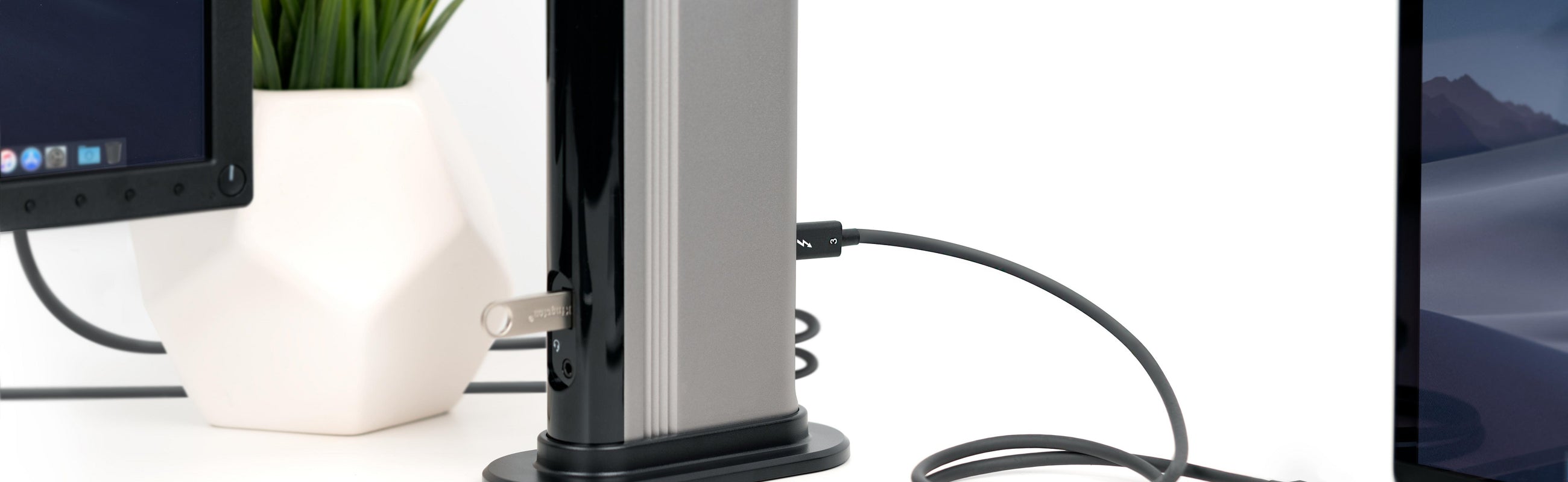
More Possibilities—
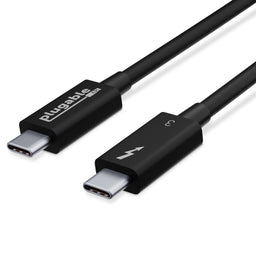
Thunderbolt 3 cable with 40Gbps speed and USB 3.0 5Gbps compatibility. Supports data transfer 2x faster than standard USB-C cables. Depending on host, up to 2x 4K 60Hz or 1x 5K 60Hz displays supported, and up to 20V, 3A charging
High Productivity—
Daisy chain up to 6 Thunderbolt devices including docking stations, external graphics cards, and displays. 40Gbps speed cables are suitable for eGPU and dual 4K display scenarios. Thunderbolt 3 peer-to-peer 10Gbps networking supported
Apple Notes—
Thunderbolt 3 uses the USB-C connector built into late 2016 MacBook Pros and newer models. This connector will not physically fit into Thunderbolt 1 or Thunderbolt 2 ports found on previous generation Mac systems
Compatibility—
Thunderbolt, USB and DisplayPort Alt Mode compatible. Compatible with your Thunderbolt 3 enabled Mac and Thunderbolt 3 Windows PCs, and non-Thunderbolt USB-C systems. Incompatible with QC 3.0 and other non USB-compliant technologies
2-Year Coverage, Lifetime Support—
Every Plugable product, including this cable, is covered against defects for 2 years and comes with lifetime support. If you ever have questions, contact our North American-based team - even before purchase
Thunderbolt 3 brings data transfers at speeds up to 40Gbps over USB-C, enabling a superset of standard USB-C to truly become one compact port that does it all—delivering the fastest, most versatile connection to any dock, display, or data device.
For the first time, one port can connect numerous Thunderbolt devices, any display, and billions of USB devices (additional adapters may be required). Thunderbolt 3 cables are primarily used for connecting docking stations, high performance data storage solutions, peer-to-peer networking, and more.
Note:This cable is incompatible with Qualcomm Quick Charge and other (non USB-IF Power Delivery) “Fast Charge” technologies.
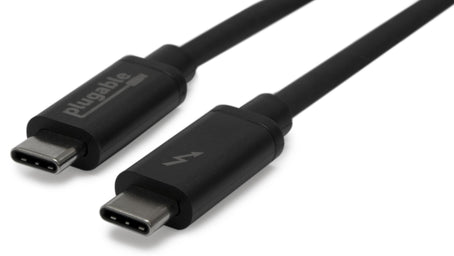
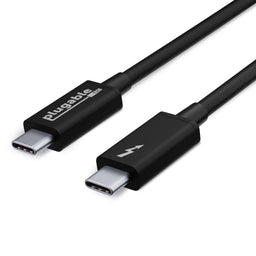
The Plugable TBT3-40G50CM cable is foremost designed as a Thunderbolt 3 cable, but it is also a universal USB-C cable for use with USB-C computers, phones, tablets, docking stations, accessories, and more. It supports all USB-C cable features, including USB 3.0 and USB 2.0 data lines, wire gauge supporting up to 3A charging via the USB-IF PD (Power Delivery) standard (5V-20V, 60W max), and support for reporting its capabilities as an electronically marked cable.
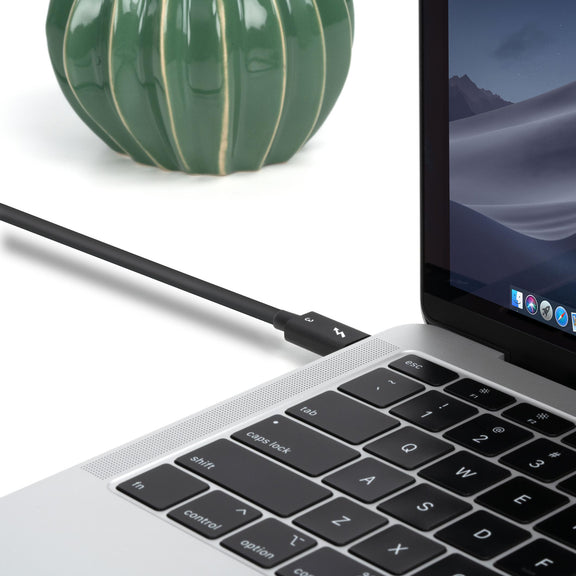
A Cable That Does It All
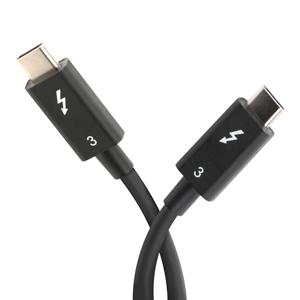
1.6ft / 0.5m long
40Gbps Thunderbolt 3
Dual 4K 60Hz video output or single 5K outputs
Thunderbolt 3 peer-to-peer 10Gbps networking
Supports up to 5Gbps transfer over USB-C 3.0 hosts and devices
Wire gauge and electronic marking support up to 3A charging (5V-20V, 60W max)
Cable supports previous USB generations such as USB 1.1, USB 2.0, and USB 3.0
Massive 40Gbps Bandwidth
Because the cable is designed for Thunderbolt 3, it is also capable of supporting data transfer speeds four times as fast as standard USB-C cables. The available 40Gbps bandwidth allows for dual 4K 60Hz video outputs (or a single 5K output) and up to 60W (20V, 3A) capabilities when used with compatible systems and Thunderbolt 3 accessories. Please note for USB-C usage this cable is limited to USB-C 3.0 (5Gbps).
Specifications
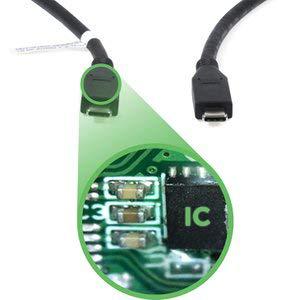
e-Marker:
The cable is electronically marked with an IC (sometimes referred to as an “e-marker”) to assist in negotiation of charging rates and USB-C alternate modes like DisplayPort video.
Connect one end of the USB-C cable to the host device
Connect the other end of the USB-C cable to the other desired device.
Questions? We're here to help! Please reach out to us at support@plugable.com
Filter Help Articles and Frequent Questions by Category
Choose one or more filters within each category to narrow down the articles. Each selection will result in only displaying articles that include all of your choices.
Selected filters:
Articles
Well how about that, it looks like we don't have any articles matching your filters! Try removing one of your choices or clear the filters to show all articles.
Understanding your laptop's video output capabilities is essential when connecting to external displays. This guide will help you identify what video technologies your laptop supports and how to find the relevant information.
Common Video Output Technologies
Modern laptops commonly use one or more of the following technologies to transmit video to external monitors:
1. Thunderbolt 3
Supports video output using the DisplayPort protocol.
Capable of driving up to two 4K displays at 60Hz or one 5K display at 60Hz.
Uses a USB-C connector and features a lightning bolt symbol next to the port.
Note: An example of Thunderbolt 3 ports
2. Thunderbolt 4
Provides improved performance over Thunderbolt 3.
Supports up to two 4K displays at 60Hz or one 8K display.
Uses a USB-C connector with the same lightning bolt symbol but may also include the number "4" for identification.
Note: Thunderbolt 4 has the same physical connection and “lightning” bolt icon as Thunderbolt 3
3. Thunderbolt 5 (As of 2024)
Up to 80 Gbps bi-directional bandwidth (Double that of Thunderbolt 4’s 40 Gbps).
Up to 120 Gbps bandwidth for displays (With Bandwidth Boost — 120 Gbps upstream and 40 Gbps downstream for display-intensive use cases).
Support for dual 6K or 8K displays (Compared to Thunderbolt 4’s dual 4K support).
4. USB-C DisplayPort "Alt Mode"
Allows video output directly through the USB-C port using DisplayPort technology.
Commonly supports one 4K display at 60Hz, but capabilities may vary.
Often marked with a DisplayPort ("DP") symbol, but this feature may also be specified in your system's documentation.
Note: An example of a USB-C port with DisplayPort capabilities
How to Identify Your Laptop's Video Capabilities
To determine what video technologies your laptop supports, follow these steps:
1. Check Your Laptop's User Manual:
Locate your laptop's user manual (often available online from the manufacturer's support site).
Search for keywords like "Thunderbolt," "DisplayPort Alt Mode," or "video output capabilities."
2. Visit the Manufacturer's Website:
Go to the support page for your laptop model and find the technical specifications section.
Look for details on Thunderbolt or USB-C video capabilities.
3. Inspect Your Laptop's Ports:
Check for identifying symbols next to USB-C ports:
Thunderbolt 3/4 ports may have a lightning bolt symbol.
DisplayPort Alt Mode may be marked with a "DP" icon.
“What if I do not have the above technologies?”: USB 3.0 (Type-A) and Display Expansion
While USB 3.0 (Type-A) ports do not support native video output, they can still be used to extend to two or more displays using software-based solutions like DisplayLink or Silicon Motion's InstantView. These technologies enable video through USB-A ports by utilizing dedicated drivers and software.
If your laptop lacks Thunderbolt or USB-C video capabilities, DisplayLink or InstantView may be a viable alternative for expanding your display setup. A few other things to consider:
Not all USB-C ports support video output. Checking your laptop's documentation is crucial to confirm this capability.
Thunderbolt ports are backward compatible with USB-C DisplayPort Alt Mode but provide enhanced performance and flexibility.
If you have further questions about connecting your Plugable docking station or adapter to your laptop, please reach out to our support team for guidance.
Many users assume that USB-C devices can work with older Thunderbolt 2 Macs if they use a Thunderbolt 3 to Thunderbolt 2 adapter, such as the one made by Apple. However, this is not the case. These adapters are specifically designed to support Thunderbolt devices only -not standard USB-C peripherals.
While Thunderbolt 3 and USB-C share the same connector type, they use different underlying data protocols. Non-Thunderbolt USB-C devices, rely on USB standards for data and power. The Thunderbolt 3 to Thunderbolt 2 adapter does not carry USB signals; it only passes Thunderbolt data. Because of this, plugging a USB-C device into a Thunderbolt 2 Mac using this adapter will not work - the computer will not detect or communicate with the device.
If you need to connect peripherals to a Thunderbolt 2 system, we recommend using a USB-A dock or hub (if available on your system). This ensures compatibility without relying on unsupported adapter chains.
In short, even though the connectors may fit, USB-C devices are not compatible with Thunderbolt 2 Macs via Thunderbolt adapters - only Thunderbolt devices will work in that setup.
All Thunderbolt docking stations include the appropriate Thunderbolt cable in order to connect the docking station to the host computer. As of this writing, all Plugable Thunderbolt host cables that are included with Plugable Thunderbolt docking stations are 1.0 meter (approximately 3.3) feet in overall length.
For reference, the specifications of all Plugable Thunderbolt cables are printed on a small white cable flag attached to the cable itself.
If the original 1.0 meter long Thunderbolt host cable is not sufficient for a specific use case, longer cables of up to 2.0 meters (approximately 6.6 feet) in overall length can be purchased separately from Plugable. An example of such a cable is the Plugable TBT4-40G2M cable
Plugable does NOT support using Thunderbolt host connection cables that are over 2.0 meters in overall length with any Plugable brand product.
Plugable does NOT support the use of any type of Thunderbolt extension cable or any type of signal repeater in conjunction with our products.
Please note, Plugable can only guarantee the performance and compatibility of Plugable brand cables.